Skip to content
Recent work

Tools that run real operations.

Planning apps, trackers, dashboards, and automated reports built for a working repair shop. Every screenshot uses sample or scrubbed data so no client information is shown.

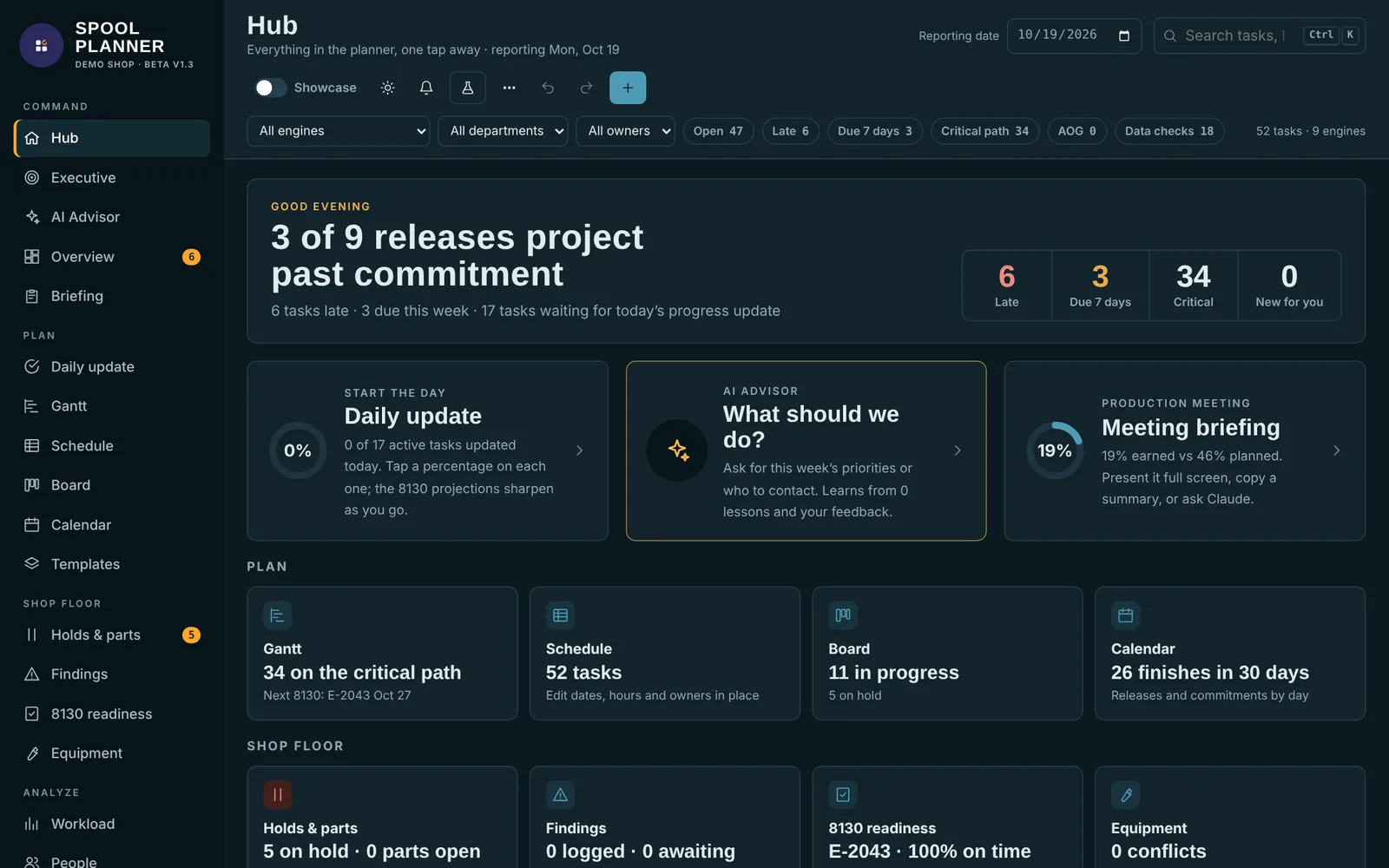
Spool Planner — Hub: late work, releases at risk, and the day’s priorities at a glance
Web app · Production planning

Spool Planner

A full production planning app for an engine repair shop. It replaced a stack of spreadsheets and whiteboards with one live schedule the whole team works from.

  • Gantt schedule with critical path, drag-to-reschedule, and auto-shift of dependent work
  • Daily progress updates that roll up into delivery forecasts and release readiness
  • Workload and capacity heatmaps by department, plus S-curve and schedule performance
  • Holds and parts tracking, what-if scenarios, an AI advisor, and a shop-floor TV mode
Web appGantt / CPMForecastingAI advisor
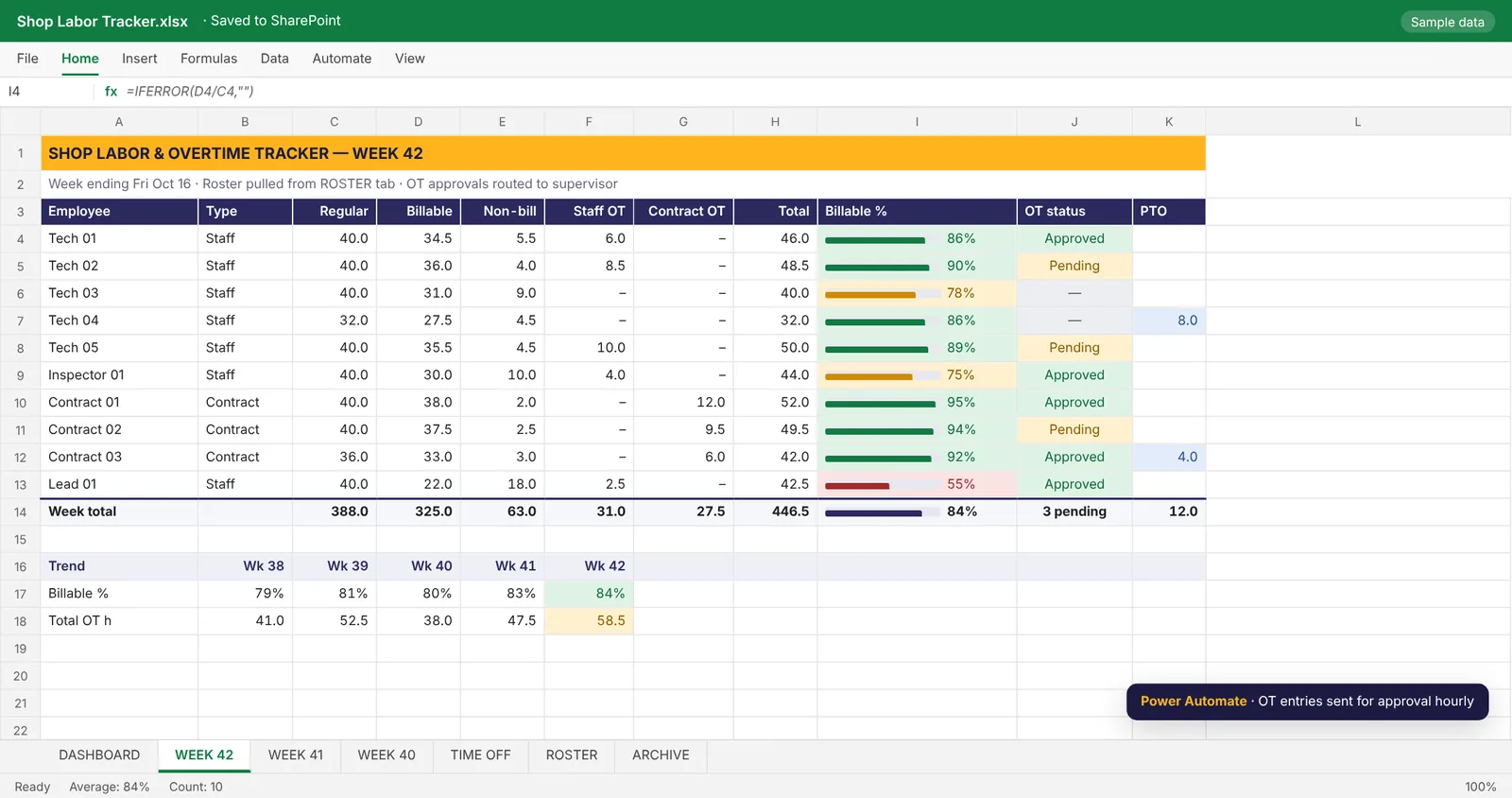
Shop Labor & Overtime Tracker — Weekly labor sheet with billable %, staff vs. contract OT, and PTO
Excel · Labor & utilization

Shop Labor & Overtime Tracker

One workbook that replaced separate overtime reports. Regular time, billable and non-billable hours, staff OT, and contract OT all land in the same weekly view.

  • Billable % per person with color-coded thresholds and a weekly trend
  • Staff and contract overtime tracked separately, with approval status
  • Time-off tab and a roster that drives every weekly sheet
  • Same structure rolled out across multiple shops so reports line up
ExcelPower AutomateSharePoint
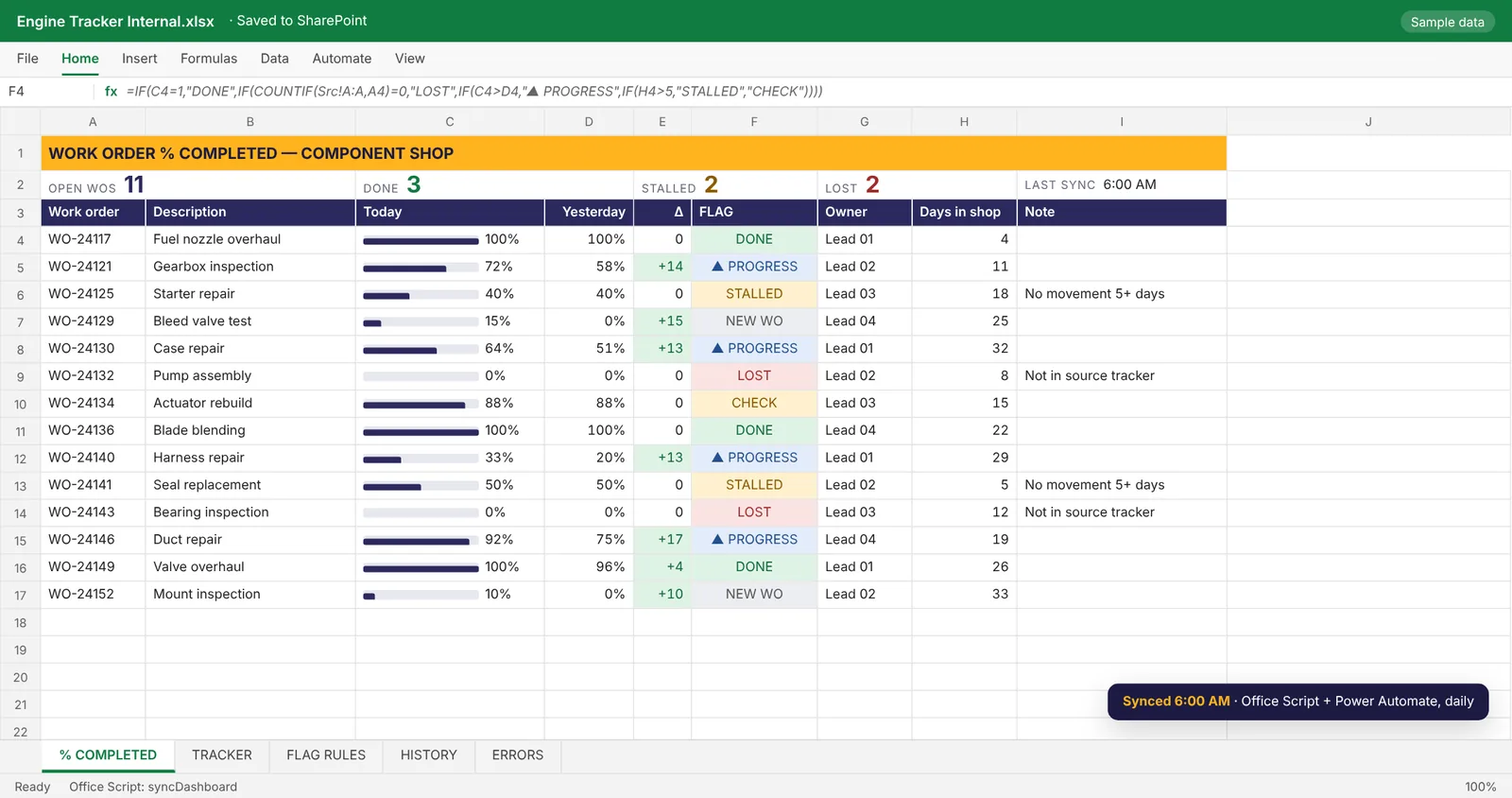
Work Order Status Dashboard — Work order dashboard with automatic status flags
Excel · Office Scripts

Work Order Status Dashboard

A % completed dashboard that syncs itself every morning and flags every work order so nobody has to hunt for what changed.

  • Automatic flags: Done, Progress, Stalled, Lost, New WO, and Check
  • Catches work orders that quietly drop out of the source tracker
  • Day-over-day change column shows exactly what moved
  • Office Script sync triggered by Power Automate at 6:00 AM daily
ExcelOffice ScriptsPower Automate
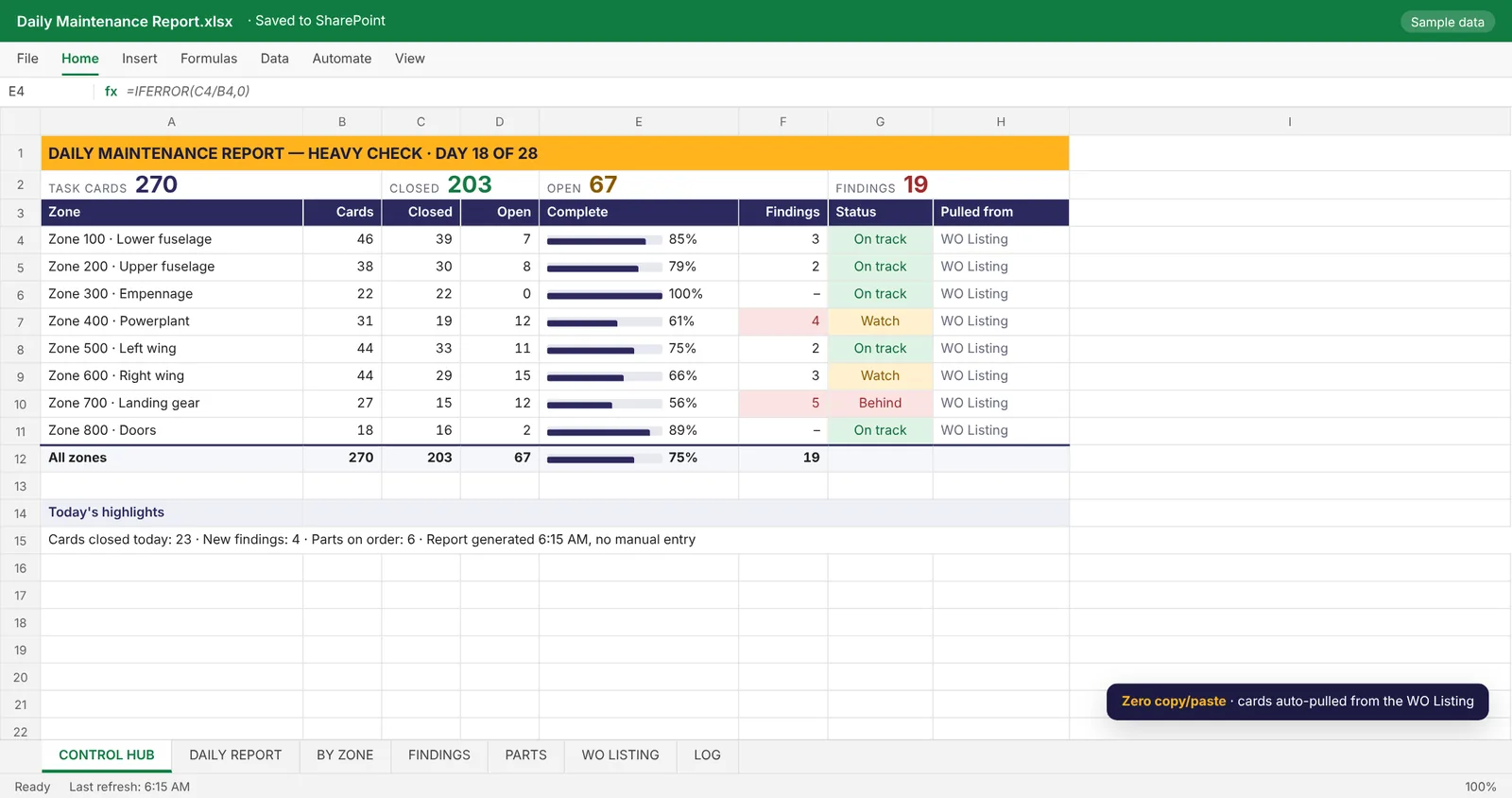
Daily Maintenance Report Automation — Control hub for the daily maintenance report
Excel · Reporting automation

Daily Maintenance Report Automation

A daily report for a heavy maintenance check that used to be rebuilt by hand. Now the task card data is pulled in automatically and the report is ready before the morning meeting.

  • Task cards pulled straight from the work order listing, no copy/paste
  • Control hub with cards open and closed, % complete, and findings by zone
  • Zone status flags so the team sees what is behind first
  • Handed off with a how-to guide so the report owner can run it alone
ExcelOffice ScriptsPower Automate
More builds

Smaller tools that save time every week.

Daily reporting pipeline

Three trackers consolidated into one summary workbook with dashboard, summary, archive, and error tabs, refreshed by Power Automate.

Shop floor TV board

A live work order board for 70-inch shop TVs that refreshes from a synced spreadsheet, replacing hand-updated whiteboards.

Inbox watcher

A script that watches a shared inbox for specific requests, logs them to a database, and shows them on a checklist dashboard.

QA form assignment tracker

Who-has-what tracking for inspection forms, rebuilt in Excel with Power Automate email triggers after a platform change.

Want something like this for your team?

Send over the spreadsheet or the process. A rough explanation is enough to start.